Create your albums to organize your posts
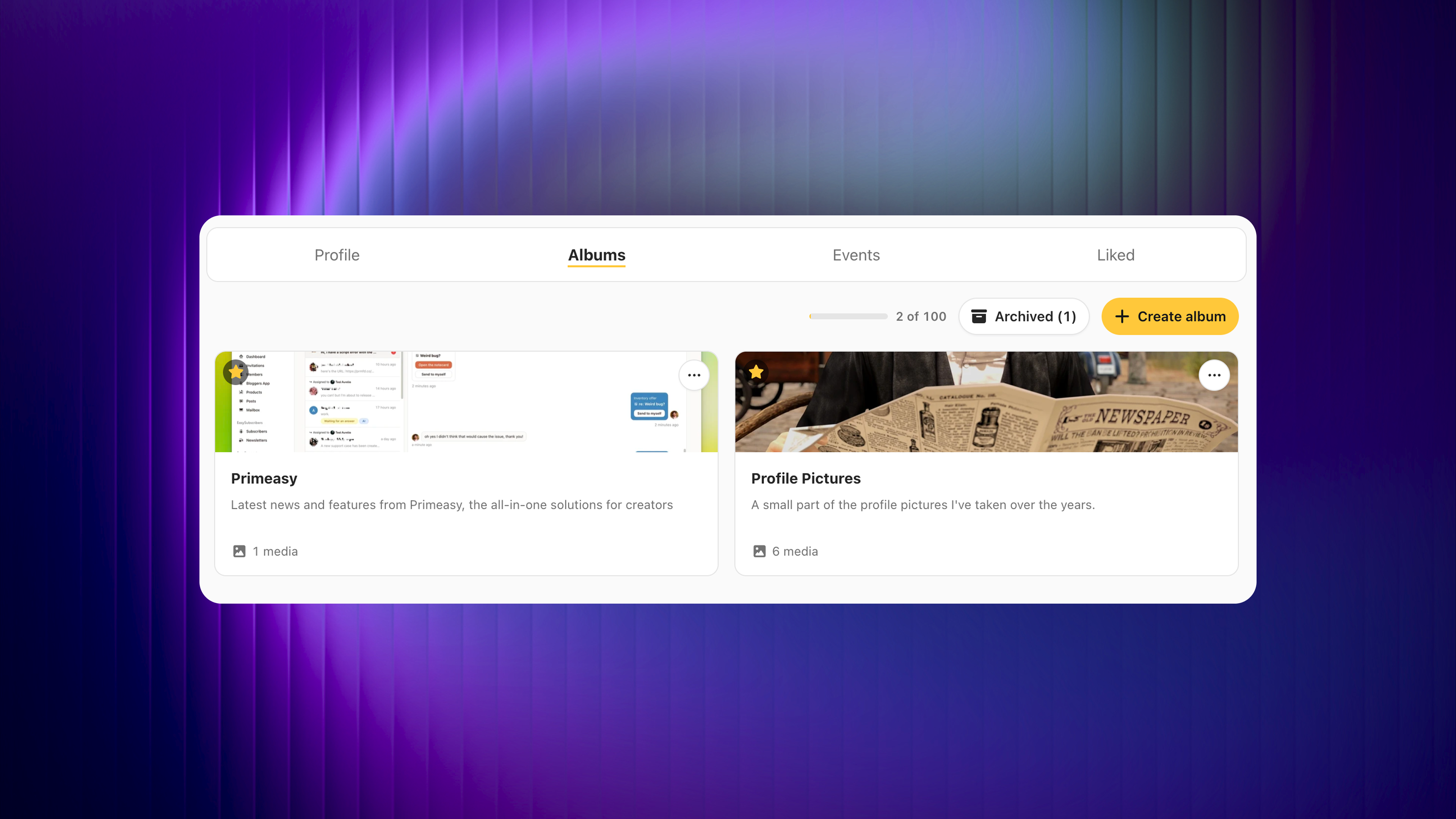
On Primfeed, you had one gallery that shows all your media into one view. It was neat and looked nice but if you had multiple type of media (landscape, vendor ads, WIPs, etc.), it was impossible to sort them to have a better looking gallery.
You’ve been waiting for it and I’m happy to announce that you can now organize your media with Albums.
You can group your posts into albums and organize them however you like. Each album gets:
A cover (same 5:1 ratio as your profile banner; if you don't set one, it falls back to your newest post automatically),
A name, which becomes the link,
And a description, to give it a bit of context.

Adding posts is simple: open an album and pick the posts you want in it. Your posts don't move and they aren't duplicated, an album is just a new way to see what you've already shared. Additionally, you can edit your existing posts to add the albums from the second step edit window.
If you change your mind, you can archive an album instead of deleting it and bring it back whenever you like. Deleting or achiving an album never deletes your posts.
If your profile is public, then your albums are as well and each albums gets their own shareable link.
Put your best work first
You can mark albums as favorites to feature them on the right of your profile, and drag them into the exact order you want.

The limits
Free members can create up to 5 albums and feature 3 of them on their profile. With Primfeed Pro, that goes up to 100 albums and 6 featured.
Thank you for your patience, and for your support. 💞
Misc
Two new settings has been added to hide the Gallery tab and the Albums tabs.